Groovy Galaxy: Beat Music Game
BattleCry HQ StudioMusic
4.017.00 Reviews
- Version
- 2.7.0
- Installs
- 50.00K
- Age Rating
- Everyone
Screenshots

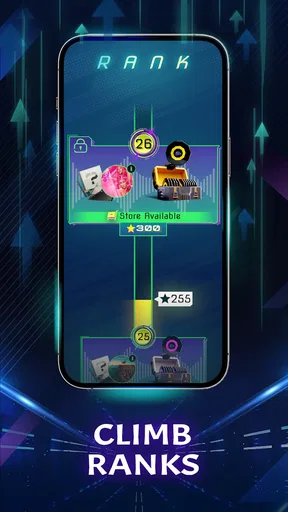

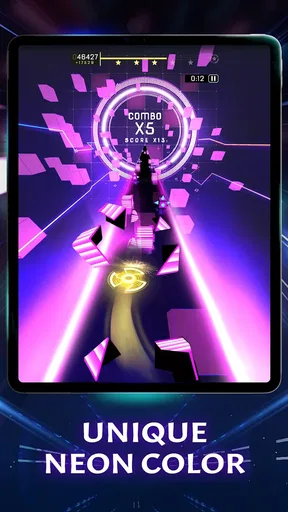
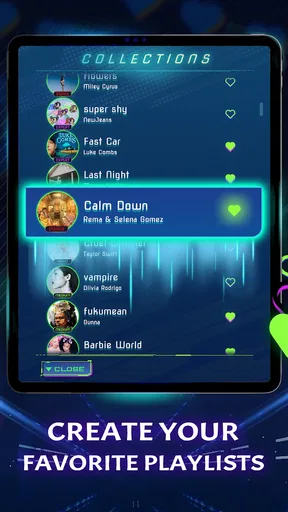
Our Review of Groovy Galaxy: Beat Music Game
 Analysis by Appyee
What’s up, fellow gamers? Today I’ve got something really cool to share: Groovy Galaxy: Beat Music Game. If you’re into rhythm games and love getting lost in a musical universe, then buckle up, because this game is about to take you on a cosmic journey.
A simple rhythm-game idea with a clear appeal
The central draw is easy to understand: you follow the music and tap or swipe to hit the targets that appear. That direct connection between listening and acting is what makes a music game satisfying, and it also gives this one a low barrier to entry. You don’t need to learn a complicated set of controls before you can start paying attention to the beat.
That simplicity has a practical upside. I can pick it up for a short break without first having to remember a long sequence of moves or manage a complicated strategy. It suits the kind of session where I want a small, focused challenge: listen, react, and see whether I can keep my timing steady as the pace changes.
It also helps to approach each round as a listening exercise rather than a race to move as quickly as possible. I’d start by watching for the targets while keeping my attention on the pulse of the track. When the action gets faster, reacting to the rhythm is more useful than trying to tap every target frantically. That little shift in focus can make the game feel less chaotic, especially if you’re new to rhythm games.
Getting Into the Groove
From the moment you download Groovy Galaxy: Beat Music Game, you know you’re in for a treat. The installation is smooth and fast, and before you know it, you’re standing at the gateway of a vibrant galaxy with beats bouncing all around you. The game sets the stage with some really slick graphics and an immersive soundscape that instantly hooks you in.
Gameplay That Hits the Right Note
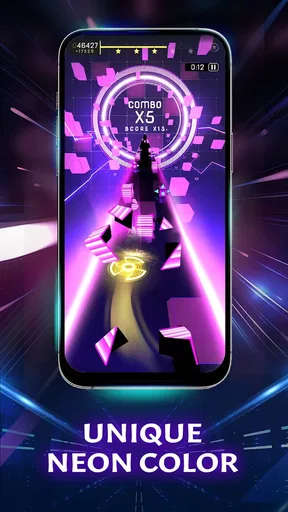
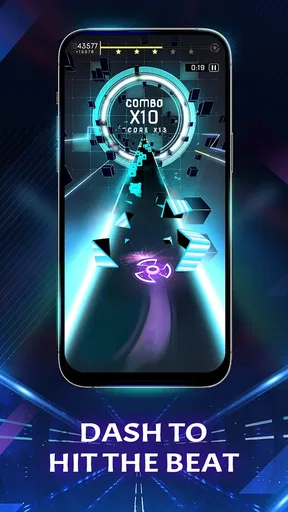
So, how does it all work? It’s pretty simple yet incredibly engaging. You tap and swipe to the rhythm of the music, hitting targets that appear on your screen. It sounds easy, but as the pace picks up, your fingers are in for a workout! The game does an excellent job of balancing challenge with fun, making sure you’re never too frustrated or bored.
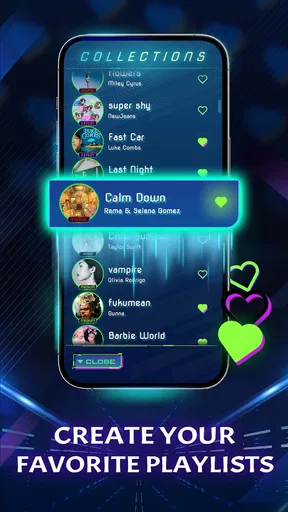
The levels are designed to keep you on your toes. As you progress, you unlock new tracks and galaxies, each with its own unique theme and musical style. Whether you're into EDM, rock, or pop, there's something to keep your fingers tapping and your heart racing.
Making a short session count
A useful way to fit the game into an ordinary day is to treat it as a quick attention reset, not something to play through every spare moment. A round can give a commute or a quiet pause at home a little structure: choose a track, focus on its beat, and stop when you’ve had enough. Because the challenge comes from matching movements to music, it can feel more absorbing than opening a feed and scrolling without a clear endpoint.
For a first session, I’d play somewhere you can give the screen and sound a bit of attention. If you’re walking, crossing a street, or trying to watch for a stop on a crowded trip, a game that asks for timely taps and swipes is a poor fit. On a seated commute or during a break at home, it’s much easier to concentrate without making the game compete with what’s happening around you.
Sound matters to the experience because the beat is part of the cue, not just decoration. Headphones can help me focus on the track in a noisy room, while a quieter setting is better if I don’t want to draw attention to the game. Either way, I’d keep the volume comfortable and make sure I can still hear anything important around me. The game is at its best when I can enjoy the music without having to shut out my surroundings.
How it compares with other music games
Compared with music games built around instruments, elaborate note charts, or a large set of controls, this one’s tap-and-swipe premise sounds more immediately approachable. That is a strength if you want an easy route into rhythm play. It is also a trade-off: players who want detailed control, demanding technical patterns, or a strong sense of mastering a complicated instrument-style system may prefer a more specialised rhythm game.
It is also different from simply playing music in the background. Here, paying attention to the beat is part of the activity, so I wouldn’t choose it when I want a soundtrack to accompany reading or work. If I’m looking for a music discovery app, a playlist service, or a game based on building songs, I’d choose something made for that purpose instead. The appeal here is the immediate loop of hearing a track and responding to what appears on screen.
Visuals and Soundtrack: A Feast for the Senses
Let’s talk about the visuals for a second. They’re stunning. The developers have created a colorful, interstellar playground that feels alive. Every beat you hit sends ripples of light and color across your screen, making every second a visual delight.
And the soundtrack? Oh man, it’s out of this world! The music is not just a backdrop; it’s the heart of the game. Each track is carefully curated to match the gameplay, making sure you feel every beat as you play. It’s like the music and the game are dancing together in perfect harmony.
Small habits that make the rhythm easier to follow
If the targets start arriving faster than I can comfortably react to them, I’d take that as a cue to slow my hands down and listen more closely, rather than treating every miss as a reason to rush. Rhythm games reward consistency, and a relaxed grip can be more useful than tense, forceful tapping during a longer session. If I’m playing on a small screen, I’d also hold the device in a way that leaves my fingers room to move without covering the action.
There’s a balance between watching the targets and listening for the beat. Staring only at the screen can make the music feel like background noise; listening without checking where a target appears can make it easy to lose track of the action. I’d let the music set the timing while using the visuals to guide where my next movement needs to go. That approach makes the game’s central idea easier to enjoy and gives each round a clearer rhythm.
Limits worth considering before you install
The straightforward controls are not automatically a fit for everyone. If you’re sensitive to busy colors, flashing visual effects, or fast-moving targets, the combination of sound and screen activity may feel tiring rather than relaxing. I’d try a brief session first and stop if the visual pace becomes uncomfortable. Likewise, this is not the best choice for a silent setting where you need to keep your attention on another task; its appeal depends on listening and responding, not on leaving it running in the background.
There is also a difference between “easy to start” and “deep enough for every rhythm fan.” The tap-and-swipe setup keeps the first steps approachable, but someone looking for a highly technical challenge may want more intricate controls and progression than this style offers. I’d recommend it to a casual player who enjoys matching actions to music, while a competitive player should decide whether this simpler kind of interaction is enough to hold their interest.
Who gets the most from it
I see the best fit as someone who likes music, wants a game that can be understood quickly, and enjoys short bursts of concentration. It can work for a beginner curious about rhythm games, or for an experienced player who wants a lighter change from more demanding titles. The age rating is Everyone, so it is presented for a broad audience, though younger players still benefit from sensible limits on screen time and volume.
Someone who mainly wants to discover new artists, listen while multitasking, or compete through complex chart patterns may be happier with another kind of app or game. I’d also skip it when I need a genuinely hands-free activity. The main interaction asks me to watch, listen, and move my fingers, so the game earns its attention rather than serving as passive background entertainment.
Why You Should Give It a Spin
If you’re still on the fence, let me give you a few reasons why Groovy Galaxy: Beat Music Game deserves a spot on your device. First off, it’s just plain fun. There’s something incredibly satisfying about hitting the beats just right and seeing that perfect score flash on your screen.
Plus, the game is perfect for those times when you need to unwind. Whether you’re on your commute, chilling at home, or taking a quick break at work, a few rounds of this game can be the perfect escape.
Practical details and value
BattleCry HQ Studio developed this free music game, and it has an average rating of 4.1 from 215 ratings, with 50K+ installs. It was released on Nov 29, 2023, and version 2.7.0 is listed for Android 7.0 and newer. The game is rated Everyone. It can be downloaded without an upfront purchase, but optional in-app purchases range from $0.49 to $99.99 per item, so I’d check the purchase prompts carefully if I’m handing the device to a child or trying to keep spending controlled.
That pricing structure makes the basic decision straightforward: I can try the game without paying to install it, then decide whether I want to spend anything. Free-to-download does not mean every optional purchase is necessary, and I wouldn’t buy an item just because it appears during a session. For a casual player, the sensible approach is to start with the free experience and treat any purchase as an optional extra rather than part of the cost of getting started.
Before you settle into a routine
A practical first check is whether the game feels comfortable on your device and in your usual setting. Try it seated, with enough room to tap and swipe, and listen at a level that lets you follow the music without losing awareness of your surroundings. If you are playing during a short break, decide beforehand when you need to stop; a quick rhythm session can stretch longer when you keep chasing a better run.
For families, the Everyone rating is reassuring as a broad content signal, but it doesn’t replace checking purchase settings and agreeing on screen-time expectations. For adults, the same small bit of preparation is useful if you share a device or want to avoid accidental spending. These are ordinary safeguards, but they make a free game with optional purchases easier to enjoy on your own terms.
Final Thoughts
All in all, Groovy Galaxy: Beat Music Game is a rhythm game done right. It combines engaging gameplay, stunning visuals, and a killer soundtrack to deliver an experience that’s both relaxing and invigorating. It’s the kind of game that you’ll keep coming back to, just to try and beat your last score or explore a new galaxy of sounds.
So, what are you waiting for? Grab your headphones, dive into the groove, and get ready to lose yourself in the music. Happy gaming!
Verdict
Strengths of Groovy Galaxy: Beat Music Game
- Engaging rhythm-based gameplay.
- Stunning graphics and animations.
- Wide variety of music tracks.
- User-friendly interface.
- Frequent updates with new content.
Limitations of Groovy Galaxy: Beat Music Game
- Occasional in-app purchase prompts.
- Limited offline play options.
- Ads can interrupt gameplay.
- Requires high-end device for best performance.
- Some tracks locked behind paywall.
Similar Picks in This Category
View All
Tiles Hop Music & Ball Game
AMANOTES PTE. LTD.4.3

Magic Tiles 3™ - Piano Game
AMANOTES PTE. LTD.4.6

Real Piano
Bilkon3.7

Piano Game: Classic Music Song
Dream Tiles Piano Game Studio4.0

Smash Colors: Music Ball Rush
BADSNOWBALL HONGKONG LIMITED4.2

Piano Music Go-EDM Piano Games
Joy Journey Music Games4.5
Frequently Asked Questions
What is Groovy Galaxy: Beat Music Game about?
Groovy Galaxy: Beat Music Game is an immersive rhythm game that combines music with engaging gameplay. Players navigate through visually stunning galaxies by tapping along to the beat of dynamic soundtracks. The game offers various levels of difficulty, ensuring both casual players and rhythm game enthusiasts find it exciting and challenging.
Is Groovy Galaxy: Beat Music Game free to play?
Yes, Groovy Galaxy: Beat Music Game is free to download and play. However, it includes optional in-app purchases that allow players to unlock additional songs, themes, and power-ups. These purchases are not necessary to enjoy the game but can enhance the overall experience for those who wish to customize their gameplay.
What are the system requirements for Groovy Galaxy: Beat Music Game?
To run Groovy Galaxy: Beat Music Game smoothly, Android users need a device running Android 5.0 or higher, while iOS users require iOS 11.0 or later. The game also benefits from devices with good processing power and at least 2GB of RAM to ensure a lag-free experience and optimal graphics performance.
Does Groovy Galaxy: Beat Music Game support multiplayer mode?
Currently, Groovy Galaxy: Beat Music Game does not feature a multiplayer mode. However, players can compete with friends through leaderboards and share their high scores via social media platforms. The developers have hinted at potential future updates that may include multiplayer features based on user feedback.
How frequently does Groovy Galaxy: Beat Music Game receive updates?
The developers of Groovy Galaxy: Beat Music Game are committed to providing regular updates. These updates typically include new songs, features, and bug fixes. Players can expect monthly updates that keep the game fresh and engaging, with notifications sent out for major content additions or improvements.
Play our best games!


